
vacs Guide
vacs is a new tool we are testing to enable better controller coordination.
Even when you are available on vacs, you are still required to be always reachable on our TeamSpeak server while controlling!
Download
You can find the newest release on GitHub.
Setup
You can find the Setup page in the upper right corner.
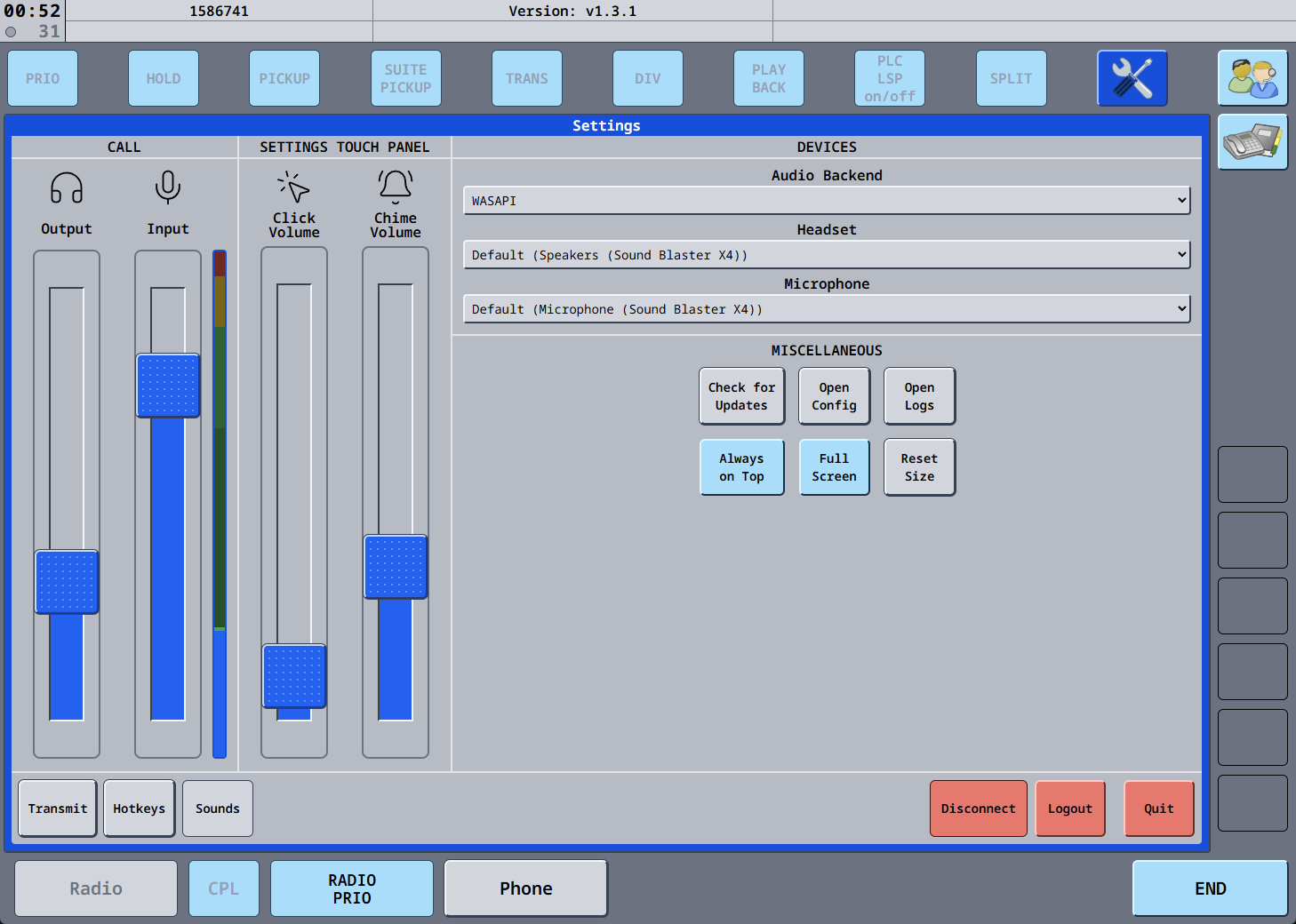
On this page, you can select your Audio devices, and set volume levels.
Tip: To enable the audio level meter next to the Input slider, click on it.
TX config
To set up how you want to transmit your voice, click on "Transmit" in the lower left corner. Push-to-mute, push-to-talk, and voice activation should be self-explanatory.
vacs features a special mode called "Radio Integration". It allows you to use one single hotkey for both vacs calls and your normal transmissions on Audio for Vatsim/TrackAudio.
When using Audio for VATSIM, you need two hotkeys, one that you use, and one that is internally triggered by vacs and then received by Audio for VATSIM. You can set your hotkey in the "MODE" section, and then set the internal hotkey in the "RADIO INTEGRATION" section and in the Audio for VATSIM client.
When using TrackAudio, you only need one hotkey, as vacs triggers the transmission via the TrackAudio API.
Station filter
To help you find relevant stations quickly, we have published a VATGER-wide set of station filters.
Download the filters from GitHub, then open the Mission page. Click on "Select stations config" and select the downloaded file:
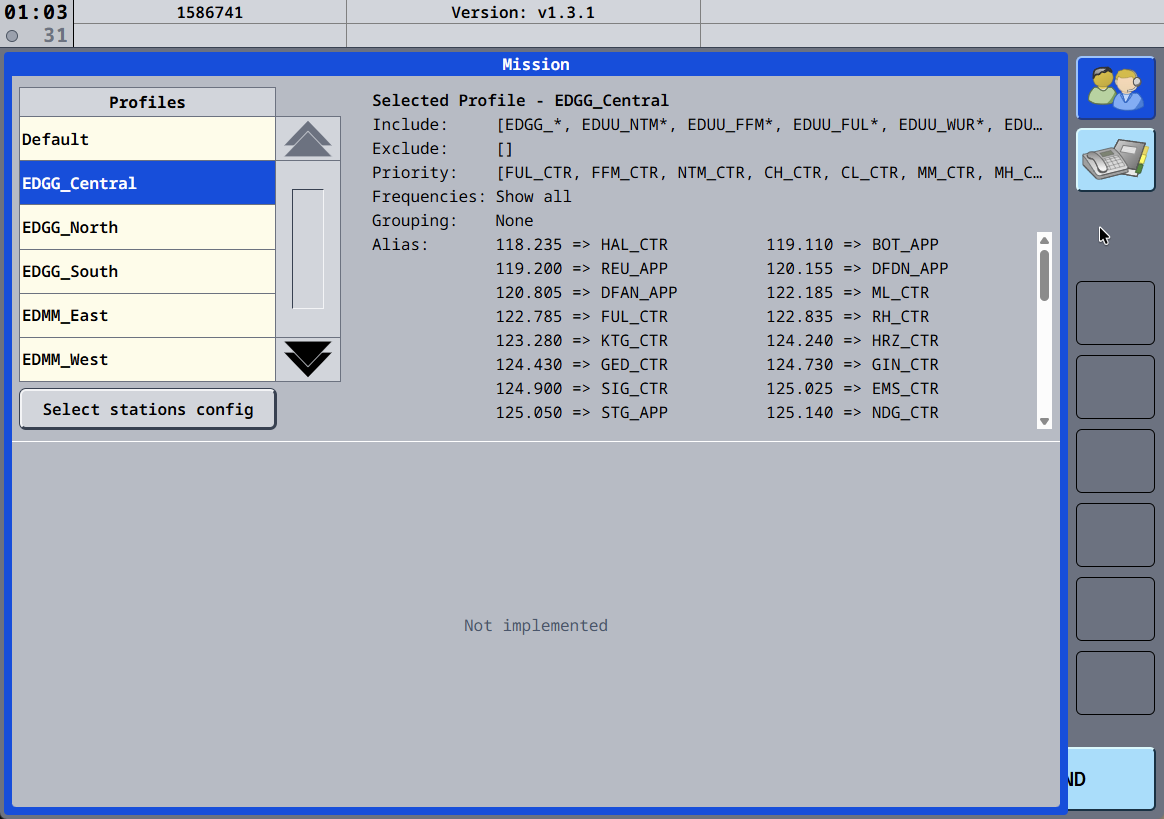
When using the Default profile, you will see all online stations, but grouped by their FIR and station prefix.
All other profiles have been built by your FIR NAV teams and only show locally relevant stations.